1-Day Pass
$3.00 USD
- 1 day of access
- For a short training session
Build your crosshair, then put it to the test. Train reaction, tracking, and recoil control in timed rounds and beat your personal best.
Try the demoClick or tap the target. It moves after each hit.
Hold and drag against the recoil to stay inside the ring. Keyboard: arrow keys to move, Space to fire.
Wait for the target, then click or tap it. Early clicks count as false starts.
Follow the moving target with your pointer or the arrow keys.
Screenshots from the current VexDot desktop build.
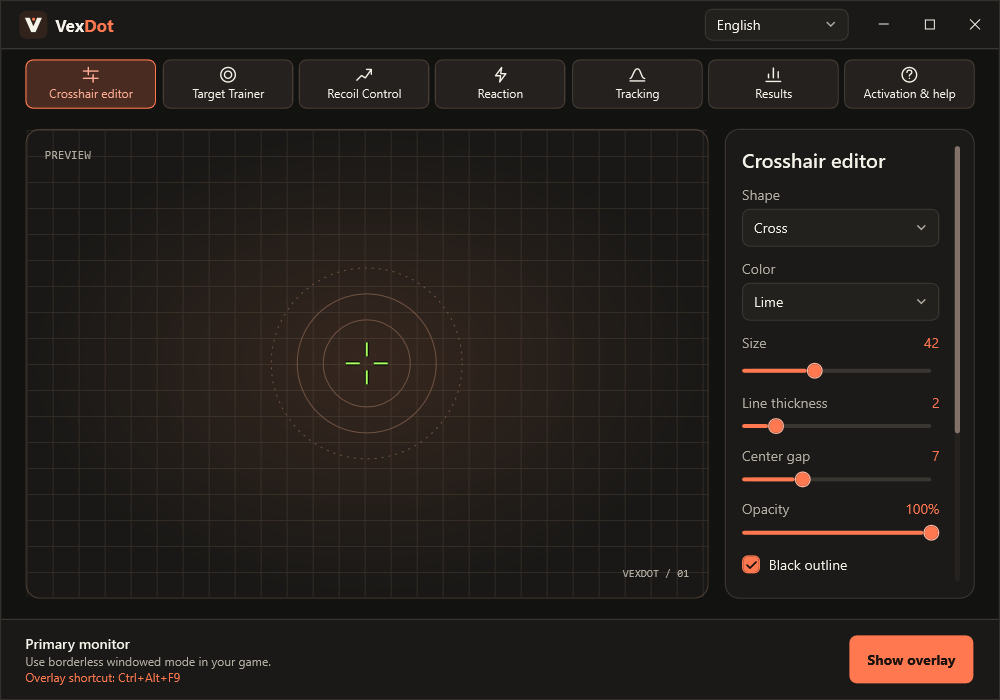
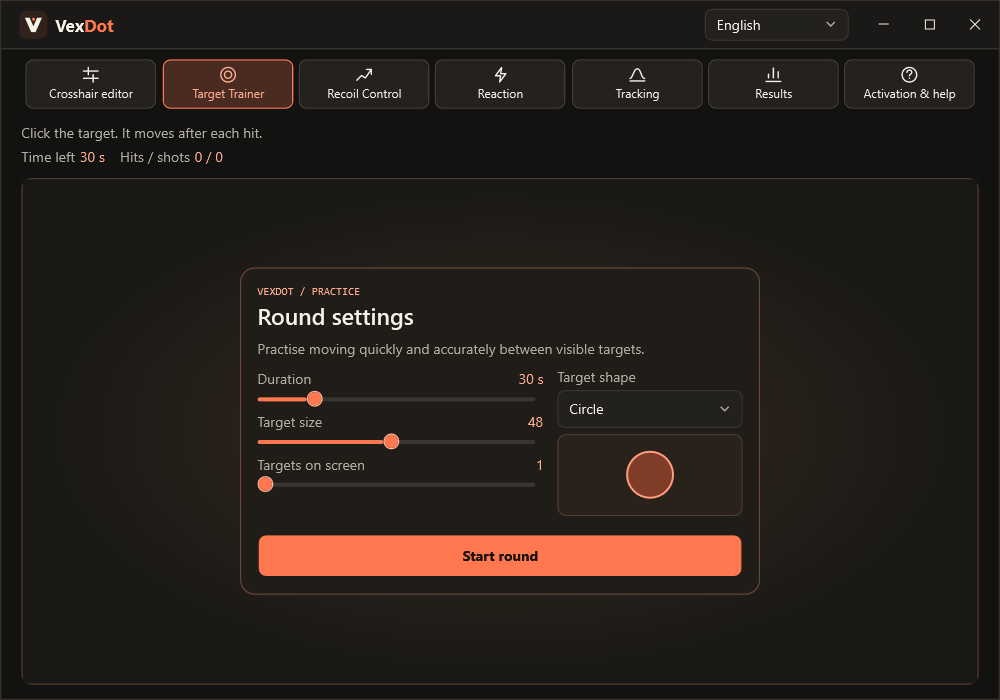
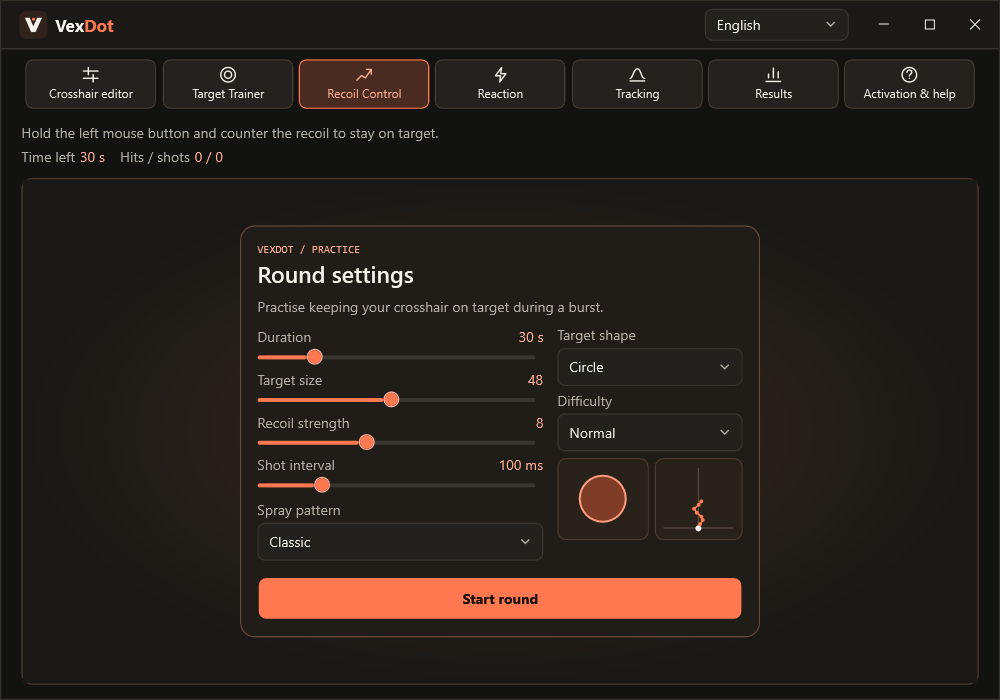
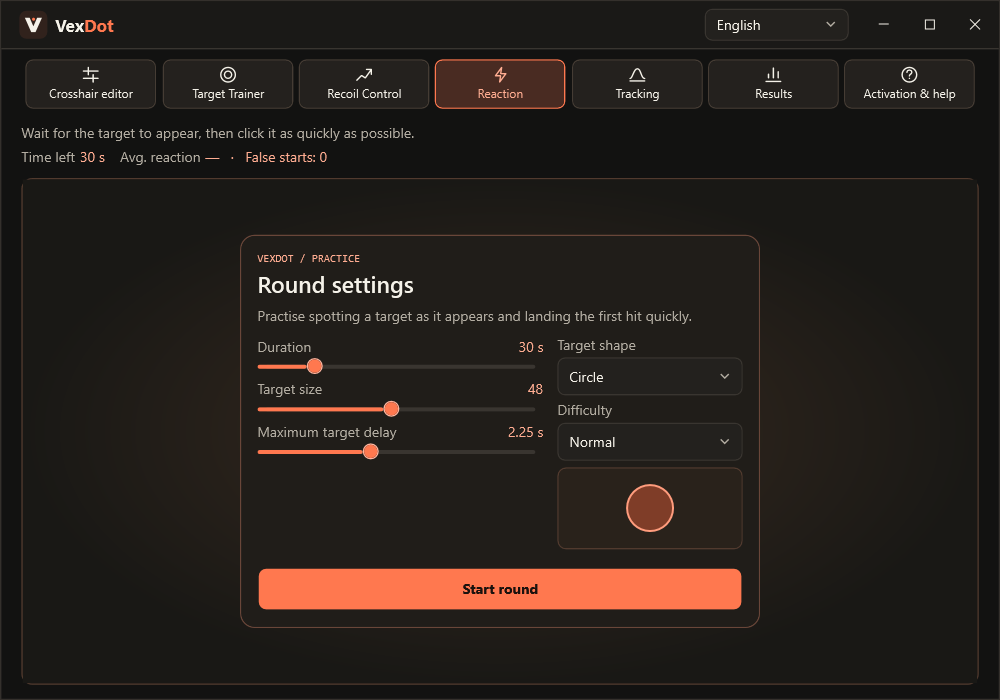
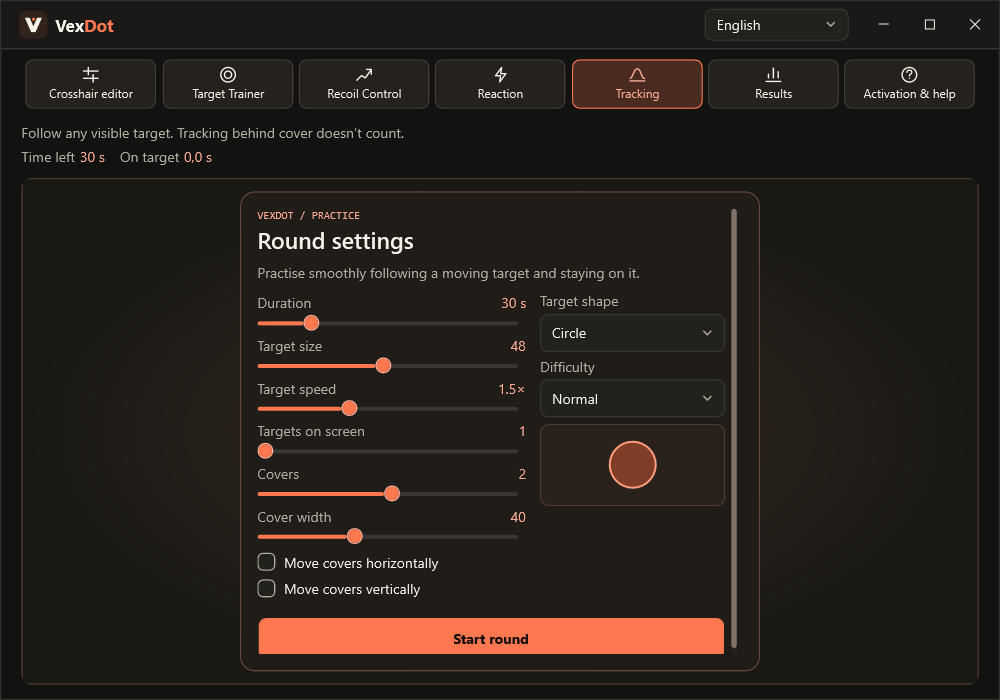
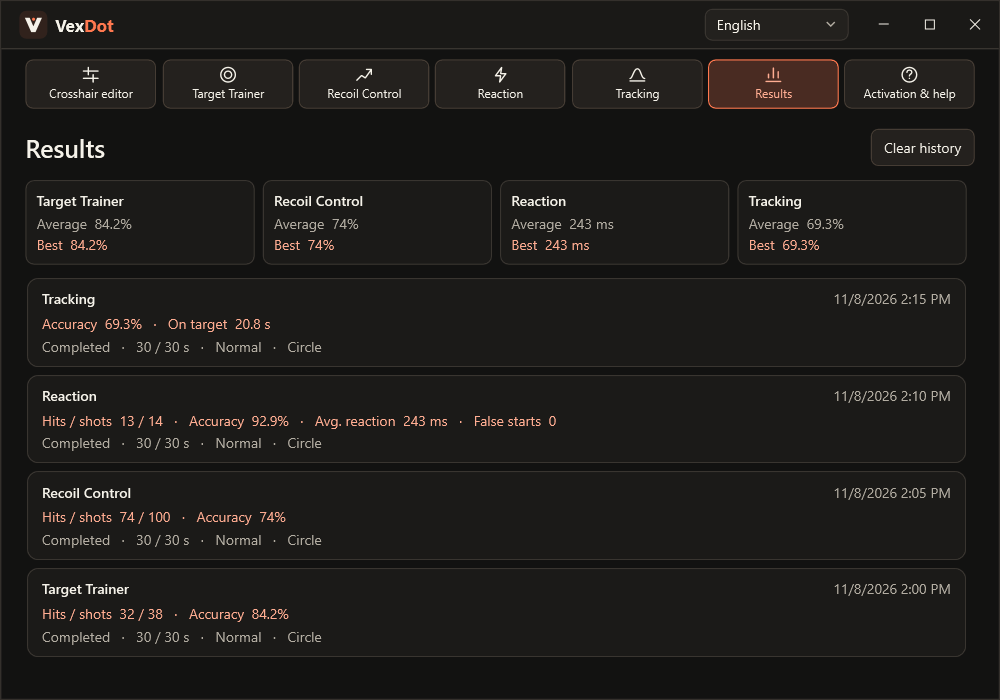
Build a crosshair, practise four FPS skills, and review your progress in one Windows app.
Pick from nine shapes and 11 colours, or load your own transparent PNG. Adjust size, line thickness, centre gap, opacity, outline, centre dot, and X/Y offset with a live preview.
Show or hide your crosshair with Ctrl+Alt+F9. The transparent overlay lets clicks pass through and runs on the primary display. Use borderless windowed mode in your game.
Practise switching between visible targets. Set the round length, target size, and up to five simultaneous targets. Choose a circle, head-and-shoulders silhouette, or full-body silhouette.
Practise single shots with the pistol or controlled bursts with seven available profiles in total, including AK-47- and M4A4-style patterns. Preview the trajectory and tune recoil strength and shot interval.
Wait for a randomly timed target, then land the first hit. Set the maximum delay, watch for false starts, and measure your average reaction time and accuracy.
Follow up to five moving targets. Adjust their speed and add up to four covers with adjustable width and independent horizontal and vertical motion. Only visible portions count.
Save the rounds you choose. Review accuracy, reaction time and time on target, with averages, best results, and paginated history. VexDot keeps your settings and saved results beside the executable.
$3.00 USD
$5.00 USD
$12.00 USD
$25.00 USD
Card checkout will be available soon.
VexDot runs as a separate Windows app and draws the crosshair in a transparent window. It draws the overlay without injecting code into the game process or changing game files.
Terms of ServiceOnce automated delivery is enabled, the key will appear on the order confirmation page and be sent to the email entered at checkout as soon as payment is confirmed.
Delivery PolicyUse borderless windowed mode, which some games call Borderless or Fullscreen Windowed. If the overlay is missing, check the game’s display mode.
VexDot is designed for 64-bit Windows 10 and 11. Extract the archive to a folder you can write to and launch VexDot.exe. The app saves its settings next to the executable. The current build uses .NET 8 Desktop Runtime.
You can request a refund within 14 days of purchase if the key has not been activated or a technical issue prevents normal use and support cannot resolve it. Include your order reference and checkout email.
Refund Policy [email protected]